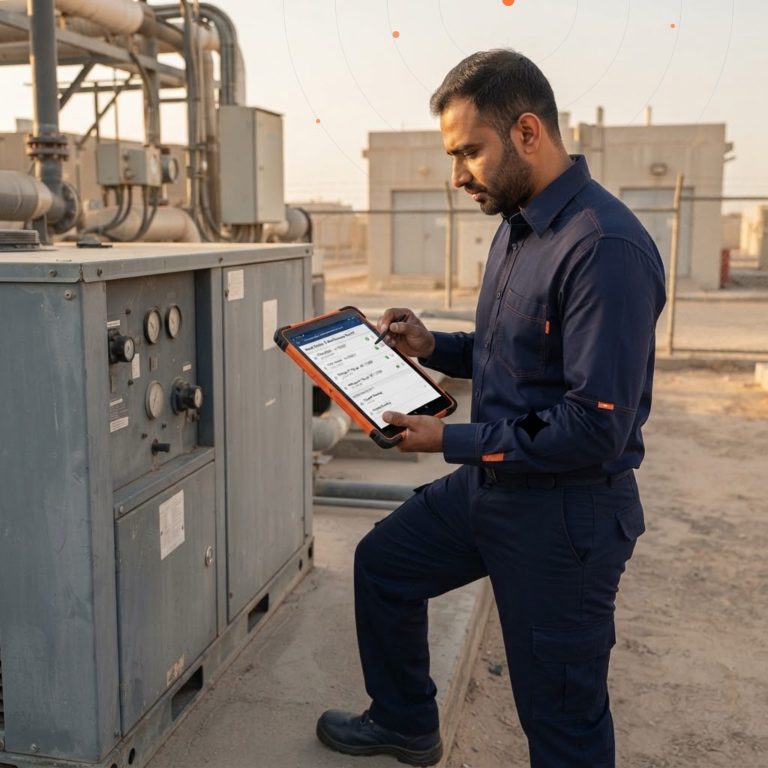


The Automation Evolution: Moving Beyond Simple Workflows
In today’s fast-paced enterprise landscape, operational efficiency is no longer just a competitive advantage—it is a baseline requirement for survival. For years, organizations have relied on traditional workflow automation to handle repetitive, predictable tasks. Moving data from an email into a spreadsheet or sending automatic notifications when a file is uploaded are classic examples of standard robotic process automation (RPA).
However, standard automation has a glaring limitation: it is inherently rigid. Classic workflows require structured data and explicit, rule-based triggers to function. The moment a business process encounters an unstructured document—such as a handwritten invoice, a complex customer inquiry, or an unpredictable PDF contract—traditional automation stalls. Human intervention becomes necessary to read, interpret, and manually input the data before the digital workflow can resume.
This is where the fusion of Power Platform and business process automation changes the game. By combining the workflow orchestration of Microsoft Power Automate with the advanced machine learning capabilities of AI Builder, enterprises can transcend basic task automation. This powerful combination introduces intelligent automation, allowing systems to understand, reason, and process unstructured data with minimal human oversight. For modern enterprises, this transition unlocks unprecedented operational speed, eliminates costly human errors, and allows valuable personnel to pivot toward strategic growth rather than administrative data entry.
Understanding the Core Components: Power Automate and AI Builder
To fully exploit the benefits of intelligent enterprise automation, it is essential to understand how these two distinct Microsoft components operate independently and how they complement one another.
Microsoft Power Automate: The Digital Nervous System
Microsoft Power Automate functions as the digital connective tissue across your enterprise software ecosystem. It allows organizations to build automated workflows between their favorite apps and services to synchronize files, get notifications, and collect data.
Power Automate is divided into several deployment models to handle different automation paradigms. Cloud Flows run automatically based on triggers within cloud applications, API connections, or schedules. Desktop Flows bring robotic process automation (RPA) to legacy, on-premises applications that lack modern APIs, mimicking human clicks and keystrokes to bridge old software with modern infrastructure. Together, these capabilities ensure that no system, legacy or cloud-native, is left behind in a company’s digital transformation journey.
Microsoft AI Builder: Democratizing Enterprise Artificial Intelligence
Historically, integrating machine learning and artificial intelligence into business software required a dedicated team of data scientists, expensive custom coding, and months of model training. Microsoft AI Builder completely dismantles this barrier by providing low-code artificial intelligence capabilities directly within the Power Platform.
AI Builder offers pre-built and customizable AI models tailored for common business scenarios. These include object detection, sentiment analysis, text classification, and form processing. Because it is natively integrated into the Microsoft ecosystem, business users can train custom machine learning models using their historical corporate data through an intuitive visual interface. It democratizes AI, shifting data processing capabilities from specialized data engineering teams straight into the hands of operational decision-makers.
Architectural Synergy: How AI and Automation Work Together
When Power Automate and AI Builder are used concurrently, they form an intelligent closed-loop system. Power Automate acts as the hands and feet—moving data, triggering actions, and connecting disparate applications. AI Builder serves as the brain—analyzing data, predicting outcomes, and extracting meaning from complex, unstructured information.
Consider a standard enterprise process: handling incoming supplier invoices.
- Ingestion (Power Automate): A cloud flow continuously monitors a shared corporate mailbox for incoming PDF invoices.
- Cognition (AI Builder): As an email arrives, Power Automate extracts the attached document and passes it directly to a custom Document Processing model in AI Builder. The AI model reads the invoice, automatically locating and extracting the vendor name, line-item totals, tax amounts, and due dates, even if the layout changes from supplier to supplier.
- Execution (Power Automate): AI Builder passes the structured JSON data back to Power Automate. The workflow then runs a business logic check: if the invoice matches an open purchase order and is under a specific financial threshold, Power Automate pushes the data directly into Microsoft Dynamics 365 Business Central for payment processing. If it exceeds the threshold, it routes an approval request via Microsoft Teams to the CFO.
This seamless interplay represents the future of enterprise productivity with Microsoft AI and cloud, transforming a process that historically took days of manual oversight into an instantaneous, secure background operation.
Key AI Builder Models to Revolutionized Enterprise Workflows
To effectively maximize business ROI, organizations must identify which AI Builder capabilities align with their specific operational friction points. The platform provides several high-impact models designed for seamless Power Automate integration.
Document Processing and Form Extraction
Document Processing is often the highest-ROI entry point for enterprise AI. This model uses advanced optical character recognition (OCR) and deep learning to extract text, key-value pairs, and tabular data from documents like invoices, purchase orders, medical forms, and onboarding paperwork. Instead of employee hours spent copying numbers from documents into an ERP system, the model extracts the required information with high confidence scores in seconds.
Sentiment Analysis and Customer Intent Tracking
Customer experience teams are frequently overwhelmed by high volumes of inbound communications via email, contact forms, and social media. The AI Builder Sentiment Analysis model evaluates text to determine whether the underlying tone is positive, negative, or neutral. Integrated within Power Automate, this allows organizations to automatically flag highly dissatisfied customer emails and escalate them immediately to senior support queues, improving retention and brand reputation.
Category Classification and Intelligent Routing
Large enterprises receive thousands of internal and external requests daily. The Category Classification model analyzes unstructured text blocks—such as support tickets, HR inquiries, or legal RFPs—and automatically assigns tags based on historical patterns. Power Automate can then use these categories to route the items to the correct departmental queue automatically, eliminating manual sorting and triage delays.
Tangible Business Benefits of Intelligent Automation
Implementing intelligent automation yields quantifiable, cascading benefits across the entire corporate structure, directly influencing both operational expenditures and employee engagement.
Dramatic Reductions in Operational Costs and Error Rates
Manual data entry is inherently prone to human error. Typos, misread numbers, and missed rows cost enterprises millions annually in compliance fines, processing corrections, and lost time. Intelligent automation operates with deterministic precision. By standardizing data extraction through AI Builder, clerical errors drop to near zero, and the cost to process standard corporate transactions decreases drastically.
Supercharging Employee Productivity and Morale
When employees spend their days performing repetitive copy-paste actions between disconnected software windows, morale drops and mental fatigue sets in. By offloading mundane administrative tasks to intelligent bots, companies can reallocate human capital toward high-value strategic initiatives. Workers shift from being manual data processors to analytical data validators, focusing on exceptions flagged by the AI rather than processing every routine file manually.
Accelerating Process Cycle Times
In business operations, speed translates directly to cash flow and customer satisfaction. A traditional mortgage application, vendor onboarding setup, or insurance claim review process that requires human hand-offs at every stage can take days or weeks. An intelligent automated framework works 24/7/365, completing complex multi-system processing pipelines in minutes, giving enterprises a severe competitive advantage in response times.
Best Practices for Implementing AI-Driven Automation
While Microsoft’s low-code framework makes deploying these tools simpler than ever, achieving long-term, scalable success requires a structured deployment strategy.
Start with High-Volume, High-Friction Processes
Avoid the temptation to automate your most complex, edge-case-heavy operational workflow first. Begin your digital transformation journey by targeting processes that are highly repetitive, predictable, and high-volume, yet suffer from clear manual friction. Invoices, expense reports, and standardized customer onboarding procedures are ideal testing grounds to prove initial concept value and secure fast executive buy-in.
Implement Human-in-the-Loop Validation
Artificial intelligence operates on statistical probabilities. While modern models achieve astonishingly high accuracy, enterprises must establish safeguard mechanisms for low-confidence variations. By designing workflows with “Human-in-the-Loop” checkpoints, you can instruct AI Builder to evaluate its own confidence score. If a scanned document is smudged or unreadable and the model’s confidence drops below 85%, Power Automate can pause the workflow and route the task to a human supervisor to review and approve the specific data point.
Ensure Rigorous Data Governance and Security
Deploying AI and automation across enterprise systems requires stringent security considerations. Because Power Automate connects deeply with corporate repositories, organizations must utilize Microsoft Power Platform’s built-in Data Loss Prevention (DLP) policies. Ensure that permissions are governed via Role-Based Access Control (RBAC) and that sensitive customer data processed by AI models remains strictly compliant with regional regulations such as GDPR or local personal data protection laws.
Choosing the Right Implementation Partner for Your Journey
Navigating the full capabilities of the Microsoft Power Platform, configuring complex custom AI models, and integrating legacy systems via RPA requires specialized expertise. While the platform is low-code, engineering an enterprise-grade, secure, and highly scalable automation architecture demands deep technical insight and strategic alignment.
Partnering with a dedicated Microsoft solutions expert like GlobalITS ensures that your automation initiatives are designed for maximum ROI and long-term scalability. As a trusted digital transformation partner in the GCC region, GlobalITS brings extensive experience in aligning Microsoft Power Automate, AI Builder, and Dynamics 365 with your unique corporate objectives. From initial process mapping and custom model training to configuring watertight security governance, GlobalITS empowers your organization to eliminate operational inefficiencies smoothly and confidently.
Ready to unlock the full potential of intelligent automation within your organization? Contact our expert team at GlobalITS today to schedule a personalized demonstration or operational assessment, and take the definitive step toward a smarter, more efficient digital enterprise.