

Most ERP feature checklists read the same regardless of which vendor wrote them: financial management, inventory, reporting, mobile access. That list hasn’t been wrong so much as incomplete for a while now — it describes table stakes, not what actually separates a strong Microsoft Dynamics ERP software deployment from a mediocre one in 2026.
The real differentiators today sit in a newer category: autonomous AI agents that handle transactional work directly, reporting that doesn’t require a dedicated analyst to configure, and automation depth that reduces manual approval and matching work rather than just digitizing it. This is a practical look at what to actually evaluate, based on what’s shipping now rather than what vendors promised three years ago.
Core Financial Management Features (The Non-Negotiables)
Before anything else, confirm the basics are genuinely solid, not just present. General ledger, accounts payable and receivable, multi-currency handling, and cash flow forecasting should feel native and fast, not bolted on. Multi-entity consolidation matters even for businesses that only operate one entity today, since adding a second entity later shouldn’t require a platform change. Inventory and basic supply chain visibility — stock levels, purchase order status, warehouse locations — should be available in real time rather than through an overnight batch update, and mobile access to core approvals and dashboards should work without a separate licensing conversation. If a demo can’t show you a live bank reconciliation or a real multi-currency transaction without switching to a separate module or partner add-on, treat that as a signal worth probing further.
Autonomous AI Agents — The Newest Feature Category
The most significant recent shift in Microsoft Dynamics ERP software is the move from AI as an assistant to AI as an active participant in transactional workflows. Microsoft’s 2026 release wave for Business Central introduces a set of purpose-built autonomous agents that don’t just suggest actions — they carry them out under defined rules.
The Sales Order Agent processes incoming sales orders with automatic item matching and relevance filtering, running multiple agent instances per company for higher volume. The Payables Agent discovers and processes vendor invoices directly from email, with a “known senders” feature that speeds up recurring vendor processing. The Expense Agent manages employee expense submissions and travel requisitions, including mobile capture, with multi-language support rolling out through 2026.
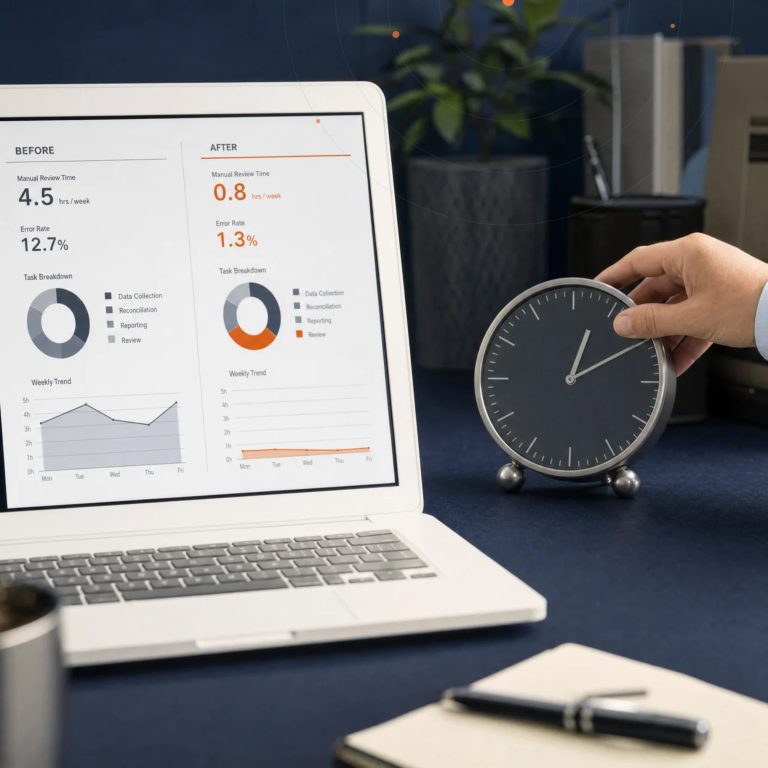
When evaluating Microsoft Dynamics ERP software today, ask specifically what these Copilot-powered agents can and can’t do unsupervised, what approval controls sit around them, and how exceptions get routed to a human. An agent that handles 80% of routine transactions automatically while flagging the remaining 20% for review is a genuinely different value proposition than a chatbot that answers questions about the same data.
Reporting and Analytics That Don’t Require a Data Team
Reporting has historically been the feature category where ERP software disappoints most — either the built-in reports are too rigid, or getting a custom report built means a support ticket and a two-week wait. The current generation of Dynamics ERP software leans heavily on Power BI integration delivered as pre-built apps for specific functions: inventory analytics, subcontracting analysis for manufacturers, and subscription billing analytics for recurring-revenue businesses, all designed to be usable without a dedicated analyst configuring them from scratch.
Financial reporting specifically has also improved, with faster deferral schedules and trial balance reports, and better control over document report layouts so finance teams can adjust statement formatting without developer involvement. When evaluating a Dynamics ERP system, ask to see a financial report or a Power BI dashboard actually built from your industry’s data during the demo, not a generic example.
Workflow Automation and Approvals
Approval workflows are a deceptively important feature category, because they’re where finance controls actually live day to day. Look for configurable approval chains for purchase requisitions, item journals, and expense claims that don’t require developer customization to set up or change. Supply chain automation features — drop shipment processing independent of sales invoicing, multi-line invoice matching across multiple orders or receipts — matter more than they sound, since they’re the difference between a purchasing team manually reconciling mismatched line items and a system that handles the matching automatically.
Integration and Extensibility
No Microsoft Dynamics ERP software deployment stays standalone for long. Native Power Platform integration — Power Automate for workflow, Power Apps for lightweight custom apps, and Power BI for reporting — should be assessed alongside the ERP’s core features, not treated as a separate evaluation. A growing library of pre-built extensions on Microsoft AppSource covers industry-specific gaps without custom development, which matters for niche requirements that the core product doesn’t cover out of the box. Ask any vendor demo to show a real API call or a Power Automate flow triggered by an ERP event, not just a slide describing the integration story.
Development tooling matters more than most buyers realize, even for organizations that won’t do their own customization. Faster, better-supported development tools mean an implementation partner can build and test custom functionality more efficiently, which translates directly into lower implementation cost and faster turnaround on future change requests. A platform with an active developer ecosystem and regularly updated tooling tends to age better than one where custom development is a slow, specialized skill few partners maintain.
Manufacturing, Project, and Industry-Specific Features
Not every business needs deep manufacturing functionality, but for those that do, it’s worth evaluating specifically rather than assuming it’s covered by the general feature set. Subcontracting support within production processes, quality evaluation for incoming materials, and flexible planning behavior for items without fixed stock-keeping configurations are the kind of features that separate genuinely capable manufacturing ERP from a system that technically has a “manufacturing module” but struggles with real production complexity. Project-based businesses should look just as closely at job costing, resource scheduling, and time-and-billing features, since these tend to get less marketing attention than financial management but matter just as much day to day for firms that bill by project or by hour.
Security, Compliance, and Localization Features
For GCC businesses specifically, localization features deserve their own line item in any evaluation: Arabic language support, multi-currency handling tuned for regional trade patterns, and tax engines that can be configured for evolving e-invoicing mandates across Saudi Arabia, the UAE, and Bahrain. Role-based security, audit trails, and permission analysis tools matter more as organizations grow, since retrofitting proper access controls after go-live is far more disruptive than configuring them correctly from the start.
How to Actually Evaluate These Features During a Demo
The single most useful thing to do in any Dynamics ERP software demo is to bring one real, moderately complex transaction from your own business — a multi-line purchase order, a multi-currency sales invoice, an expense claim with a policy exception — and ask the vendor or partner to process it live in the system, not in a pre-built demo environment. Generic demos are built to look impressive; your own transaction shows you exactly how many clicks, approvals, and workarounds it actually takes.
It’s also worth explicitly asking which of the features discussed above are included in your specific license tier versus sold as an add-on, since feature lists in marketing material don’t always map cleanly onto what a given subscription actually includes. Asking an implementation partner for a reference client in your own industry and region — ideally one you can speak with directly rather than a written case study — is a reliable way to find out which features actually get used day to day versus which ones sounded good in the sales process but sit unused after go-live.
Key Takeaways
The features worth prioritizing in Microsoft Dynamics ERP software today go well beyond the standard financial management and reporting checklist: autonomous AI agents handling routine transactional work, pre-built analytics that don’t require a data team, deep workflow automation, and genuine Power Platform integration and AppSource extensibility. Testing these against a real transaction from your own business during a demo — rather than trusting a generic feature list — is the most reliable way to know what you’re actually buying.
Ready to See These Features in Action?
As a Microsoft Inner Circle Partner based in Bahrain, Global iTS can walk you through a live Dynamics 365 Business Central demo built around your own transactions, not a generic script — including the newest AI agent capabilities and regional compliance configuration.
Contact Us | Global iTS to arrange a tailored demo, or Request A Demo | Global iTS to get started.