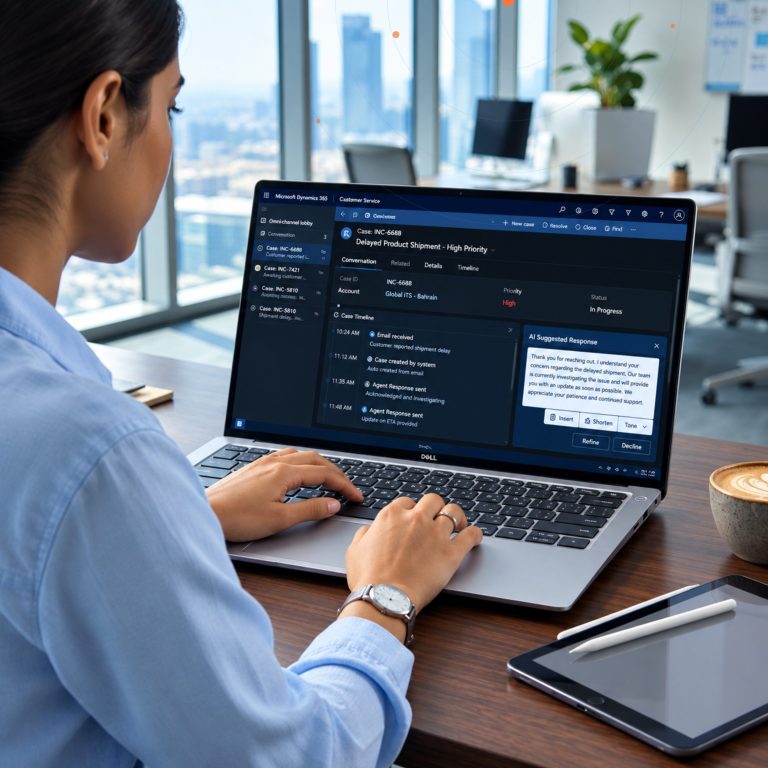


Type “Microsoft Dynamics CRM” into a search bar today and you’ll get a mix of results — some about the modern Dynamics 365 platform, some still referencing on-premises versions that are over a decade old, and a fair number of forum posts from IT teams trying to figure out whether their aging CRM 2013 or CRM 2016 deployment still has a support lifeline. The confusion is fair. Microsoft Dynamics CRM didn’t just get new features over the years — it changed architecture, business model, and name, while the search term itself never really went away.
Understanding where MS Dynamics came from isn’t just trivia. It explains why the product works the way it does today, why organizations still running genuinely old on-premises installs are facing a hard deadline, and why “Dynamics CRM” and “Dynamics 365” aren’t actually two different products — they’re two names for the same lineage, separated by one major architectural shift.
This is the story of that shift, what it means if your organization is still on an old version, and what “Dynamics CRM” actually refers to in 2026.
The Early Years: Microsoft CRM 1.0 to Dynamics CRM 2013
Microsoft entered the CRM market in 2003 with Microsoft CRM 1.0, an on-premises application aimed at small and mid-size businesses that wanted sales and service tracking integrated with the tools they already used — Outlook, Excel, the broader Microsoft stack. It was a genuinely different pitch from Siebel or the early cloud-native entrants: install it on your own servers, keep your data in-house, and get a CRM that looked and felt like the rest of your Microsoft environment.
The product matured steadily through the 2000s, adding basic cloud-hosted options by 2008 as Microsoft began experimenting with delivering CRM as an online service rather than purely on-premises software. Dynamics CRM 2011 brought a significant interface overhaul with the “Ribbon” navigation familiar from Office, and Dynamics CRM 2013 went further, eliminating disruptive pop-up windows in favor of a smoother, more modern editing experience. By this point, Dynamics CRM had a reasonably loyal following, particularly among organizations already standardized on Microsoft infrastructure, but it was still fundamentally a version-based product: you bought a release, installed it, and eventually faced an upgrade project to move to the next one.
2016: The Rebrand That Created Dynamics 365
The real inflection point came on November 1, 2016, when Microsoft announced Dynamics 365 — not just a new version number, but a full reorganization of the product. CRM and ERP capabilities, previously sold as separate product lines (Dynamics CRM and Dynamics AX/NAV/GP), were unified into one cloud-first ecosystem. The CRM side was broken apart into the specialized applications still in use today: Sales, Customer Service, and Field Service, each licensable independently rather than bundled as one monolithic CRM install.
This is the moment “Microsoft Dynamics CRM” and “Dynamics 365 CRM” started meaning functionally the same thing under different names. Anyone who learned the product as “Dynamics CRM” before 2016 kept using that term out of habit — and it never fully disappeared, which is exactly why it still shows up as a live search term a decade later, usually from people who either learned the product under the old name or are researching an existing on-premises deployment.
The architectural shift mattered as much as the rebrand. Dynamics 365’s cloud applications moved onto what eventually became Microsoft Dataverse, a shared data platform that lets Sales, Customer Service, and Field Service reference the same underlying records instead of maintaining separate databases that need syncing. From 2019 onward, that same Dataverse foundation became the connective layer for the wider Power Platform — Power BI, Power Apps, Power Automate — turning what used to be a closed CRM application into an extensible platform organizations could build custom apps and automations on top of, without a developer team building from scratch.
What “MS Dynamics” Means Today
By 2024 and into 2026, Microsoft Copilot’s generative AI capabilities were layered across every Dynamics 365 application, which is the clearest sign of how far the platform has moved from its 2003 starting point: a product that once meant “install this software and track your contacts” now means a continuously updated cloud service, refreshed twice a year through scheduled release waves, where AI agents draft emails, summarize calls, and recommend next actions inside the CRM automatically.
So when someone searches “MS Dynamics” or “Microsoft Dynamics CRM” today, in nearly every case what they actually want is Dynamics 365 — specifically Dynamics 365 Sales for CRM-style deal and contact management, though the broader Dynamics 365 name also covers Customer Service, Field Service, Customer Insights, and separately, the ERP applications (Business Central, Finance, Supply Chain Management) that used to be sold as Dynamics AX, NAV, and GP before the same 2016 unification.
Why the On-Premises Clock Is Running Out
For organizations still running an actual on-premises Dynamics CRM installation rather than the cloud version, the history above isn’t academic — it has a hard deadline attached. According to Microsoft’s official product lifecycle documentation, Dynamics 365 Customer Engagement Apps version 9.x (the last major on-premises release line) has mainstream support ending January 13, 2029, with extended support running through January 10, 2031.
That sounds distant, but for a CRM system anchoring core sales and service operations, a multi-year migration runway isn’t a luxury — it’s the minimum realistic timeline once data migration, integration rebuilding, user retraining, and testing are factored in. Organizations still on pre-9.x versions (2016, 2015, or earlier) are already past mainstream support entirely and running on borrowed time with no security patches for newly discovered vulnerabilities, which is a materially different risk profile than simply running an older-but-still-supported release.
What Actually Changes When You Move Off On-Premises
Migrating from on-premises Dynamics CRM to cloud Dynamics 365 isn’t a like-for-like lift. The underlying data model shifts to Dataverse, which typically means custom entities, workflows, and plugins built for the older on-premises architecture need to be rebuilt or reconfigured rather than copy-pasted across. Integrations with other internal systems — ERP, finance tools, custom line-of-business applications — usually need to be re-pointed and re-tested against the new cloud APIs. And because the cloud version now ships two release waves a year instead of the old multi-year version cycle, the operating model shifts from “upgrade project every few years” to “review what’s new every six months” — a genuinely different rhythm for an IT team to plan around.
The upside is that everything documented for Dynamics 365 Sales, Customer Service, and Field Service today — the Copilot integration, the AI agents, the Gartner-recognized sales capabilities — is only available on that current cloud architecture. There’s no on-premises path to any of it; the two platforms have fully diverged.
How to Tell Which Version You’re Actually Running
Because the naming has changed so many times, a surprising number of IT teams inherit a Dynamics CRM environment without a clear record of exactly which version it’s on — which matters enormously given how differently each era’s support timeline plays out. The version number is visible in the application itself (typically under Settings > Customizations > Developer Resources, or in the URL structure for older on-premises deployments), and it’s worth checking directly rather than assuming based on when the system was originally purchased, since on-premises environments are sometimes upgraded partially — patched to a newer minor version without ever moving to the current cloud architecture.
Anything on version 8.2 or earlier (Dynamics CRM 2016 and before) is already past mainstream support with no further security patching. Version 9.x on-premises is the only on-premises line with support still running, through the 2029/2031 dates above — but it’s also the final on-premises release line Microsoft has committed to; there is no version 10 on-premises planned. That distinction alone should reframe the conversation from “which version should we upgrade to” toward “when do we move to the cloud,” since staying on-premises indefinitely is no longer an option Microsoft is building toward.
The Real Cost of Waiting
The temptation with a multi-year support runway is to treat the deadline as someone else’s problem for now. In practice, waiting has compounding costs that aren’t obvious until the deadline is close: the pool of consultants and partners who still know legacy on-premises Dynamics CRM shrinks every year as the market moves on, migration projects get more expensive and rushed the closer they’re started to a hard cutoff, and any custom integrations built against the old on-premises APIs become progressively harder to find documentation or support for. Organizations that start the assessment early — even two or three years ahead of a support deadline — consistently report a smoother, cheaper migration than those that wait until support is genuinely about to lapse.
Planning a Move Off Legacy Dynamics CRM
If your organization is still running an on-premises Dynamics CRM instance, the practical questions aren’t really about the history — they’re about what’s actually customized in your current environment, what integrations depend on it, and how much of that needs to be rebuilt versus retired during a move to Dynamics 365. That assessment is worth doing well before a support deadline forces the decision, since a rushed migration under time pressure tends to cost more and break more than a planned one.
Global ITS has worked with organizations across Bahrain and the GCC managing exactly this transition — auditing what’s actually in a legacy Dynamics CRM environment and mapping a realistic path to Dynamics 365 without losing the customizations that matter. Contact our team to talk through where your current environment stands, or request a live demo to see what the modern Dynamics 365 platform actually looks like compared to what you’re running now.